Atelier
The editing table · 8 cues
Shot 01 · Today
Shot 02 · Posts
Shot 03 · The calendar
Shot 04 · The sticky note
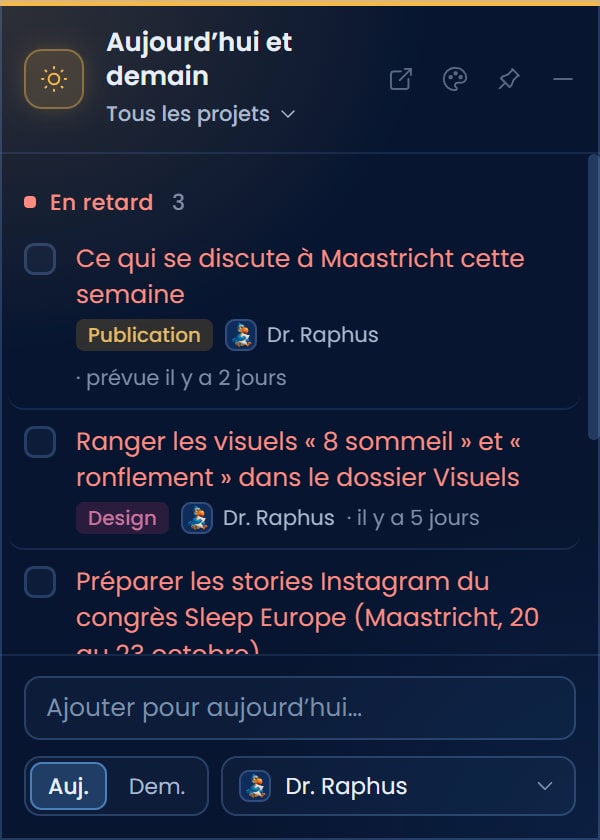
Off screen
01 / 08 · Shot 01 · Today
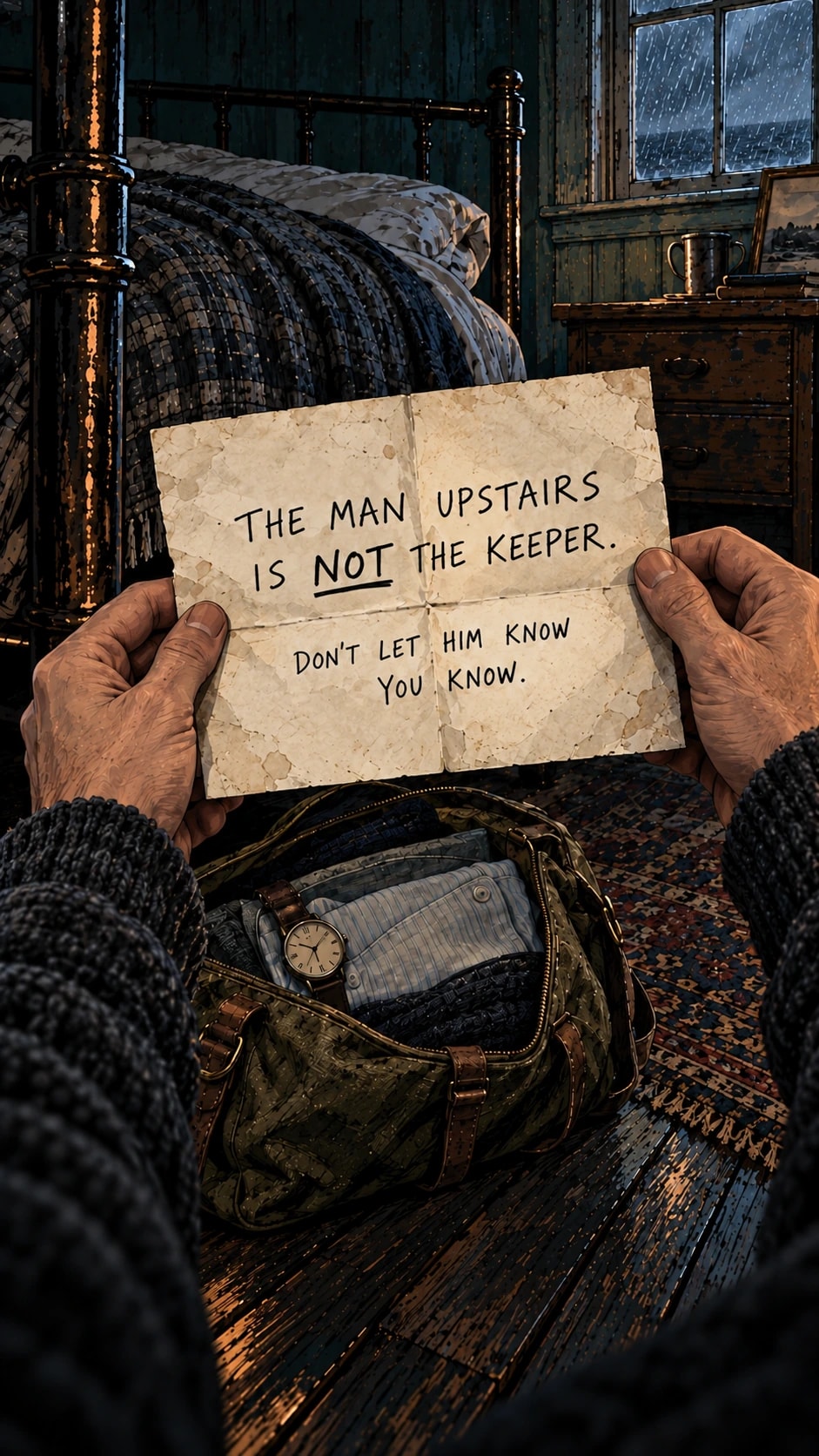
The Today view
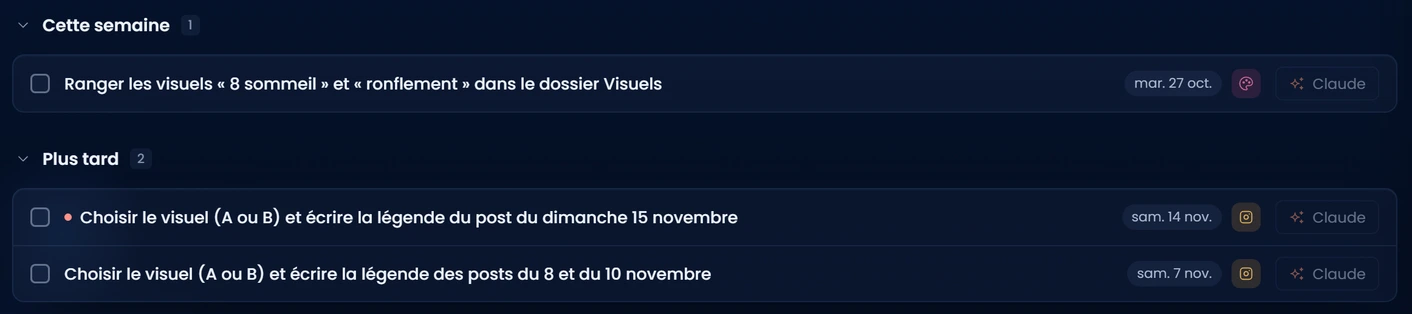
The Today view: what is overdue, the week, the next post. Sample data.
02 / 08 · Shot 01 · Today
Tasks arrive on their own
Tasks arrive on their own: pull requests and open issues on GitHub, checkboxes in the repositories’ “to do” files; a ticked box or a closed issue completes the task.
03 / 08 · Shot 01 · Today
The video goes out on time
For a linked Instagram account, the video goes out at the planned time, the vote comment is posted, then votes and statistics are collected.
04 / 08 · Shot 02 · Posts
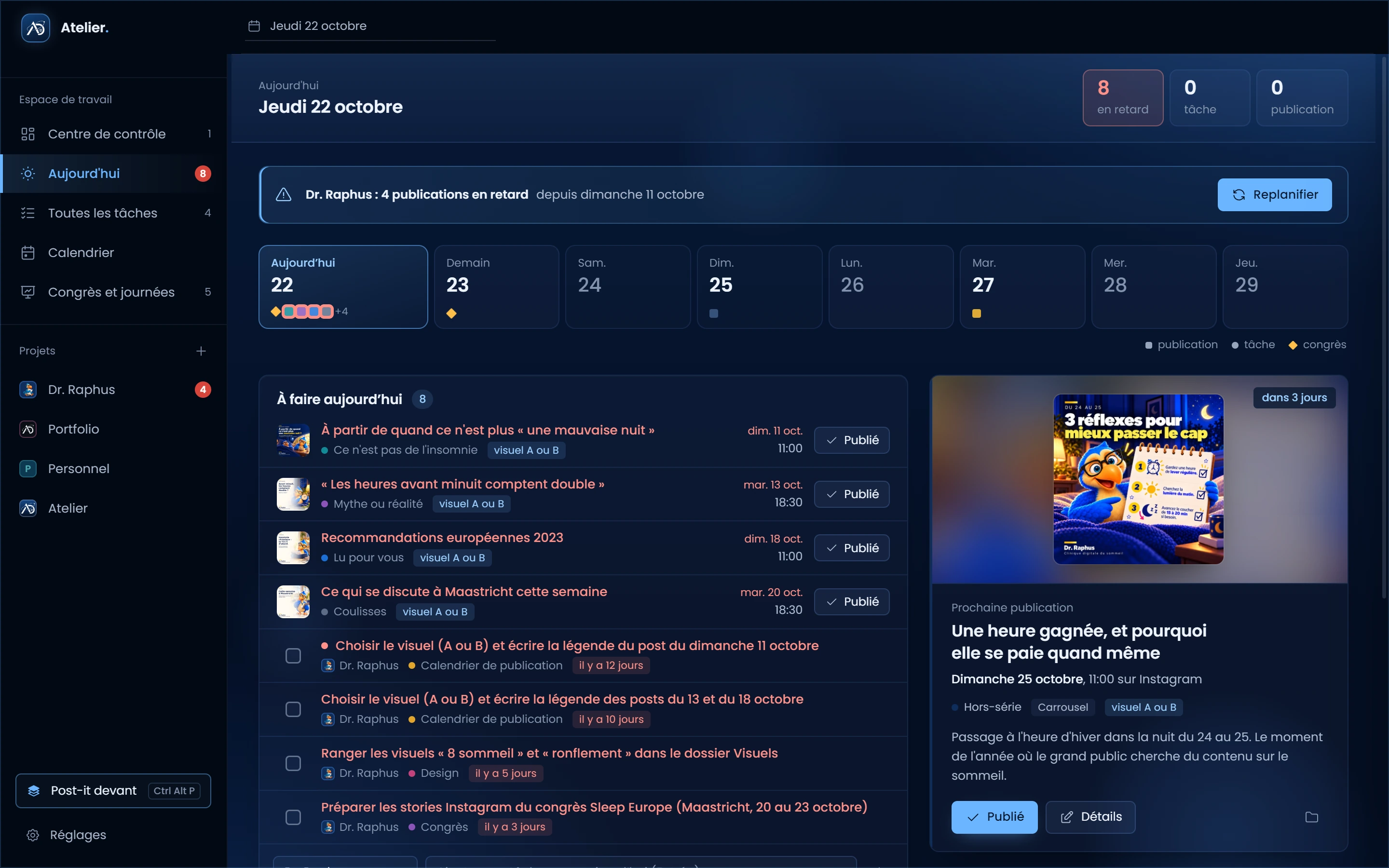
The publishing calendar
A project’s publishing calendar, one card per post.
05 / 08 · Shot 02 · Posts
Calendars reschedule themselves
Publishing calendars reschedule themselves: overdue posts take the next free slots, and a preview shows every move before it is applied.
06 / 08 · Shot 03 · The calendar
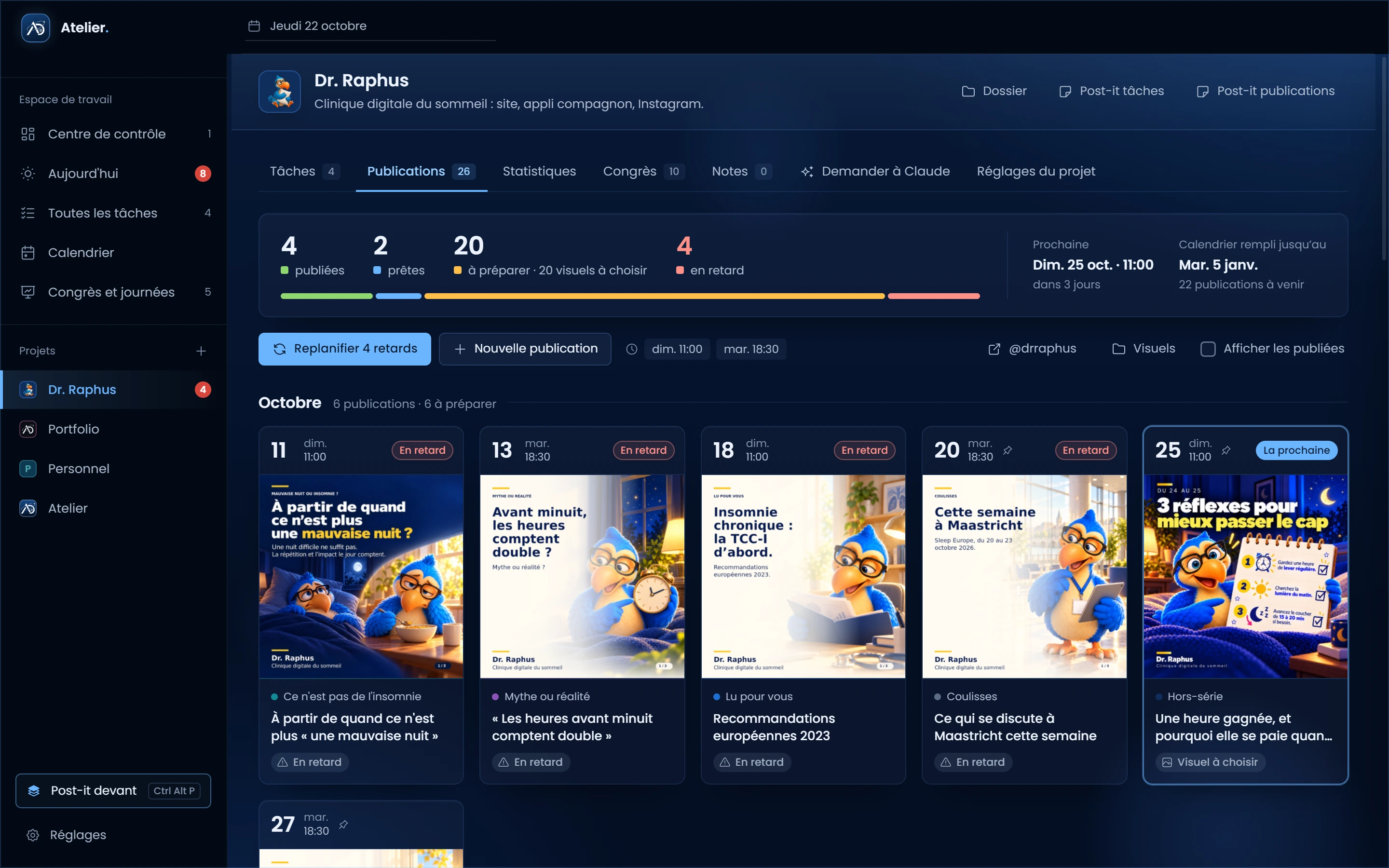
The whole month
The whole month, with posts, tasks and conferences together.
07 / 08 · Shot 04 · The sticky note
Reminders, sticky notes and iPhone
Windows reminders, sticky notes on the desktop, a synced iPhone app and an app update with every approved improvement.
08 / 08 · Off screen
A task handed to an AI agent
A button hands a task to an AI development agent, which works in the project folder and then marks it done.
On this shot
On this shot
On this shot
On this shot
Off screen
- 01 Today
- 02 Posts
- 03 The calendar
- 04 The sticky note
- Off screen
The project
What it is
The task manager I designed and built to run all my projects: tasks, publishing calendars, conferences to cover and sticky notes on the Windows desktop, with a synced iPhone app.
Who it is for
For me first: keeping in one place what is left to do on each of my projects, this portfolio included. Its remaining tasks are GitHub issues, which Atelier turns into tasks on its own and completes when they are closed.
My role
- Type
- Desktop and iPhone app
- Role
- Design and development, for my own use
- Period
- 2026 – Present
What I did
01
Tasks arrive on their own
Tasks arrive on their own: pull requests and open issues on GitHub, checkboxes in the repositories’ “to do” files; a ticked box or a closed issue completes the task.
02
Calendars reschedule themselves
Publishing calendars reschedule themselves: overdue posts take the next free slots, and a preview shows every move before it is applied.
03
The video goes out on time
For a linked Instagram account, the video goes out at the planned time, the vote comment is posted, then votes and statistics are collected.
04
A task handed to an AI agent
A button hands a task to an AI development agent, which works in the project folder and then marks it done.
05
Reminders, sticky notes and iPhone
Windows reminders, sticky notes on the desktop, a synced iPhone app and an app update with every approved improvement.
Technical sheet
- Technologies